You have just deployed your shiny new website, pushed the DNS changes through your registrar, and now you wait. Five minutes. Ten minutes. An hour. Your client is calling, your boss is pinging you on Slack, and you are staring at a blank browser tab wondering: "Did I mess up the DNS records, or is this just propagation delay?"
Our DNS lookup tool provides a seamless experience for DNS lookup tasks. Sound familiar? If you have ever wrestled with domain configuration, email delivery failures, or mysterious "site not found" errors, then you already understand the critical importance of DNS. The problem is, most developers treat DNS like plumbing � they only think about it when something breaks.
Query DNS Records Instantly!
Advanced DNS lookup with DNS resolver capabilities
Launch DNS Lookup ToolToday, we are pulling back the curtain on the Domain Name System � the invisible backbone of the internet � and showing you why a reliable DNS Lookup tool like the one at pktools.tech is not just convenient; it is essential for any serious developer, sysadmin, or IT professional.

What is DNS, and Why Should You Care? - Dns Resolver
At its core, the Domain Name System is the internet's phone book. When you type google.com into your browser, your computer does not actually know where Google lives. It needs to translate that human-friendly domain name into a machine-friendly IP address like 142.250.80.46. This translation process is called a DNS resolution, and it happens billions of times per day across the globe.
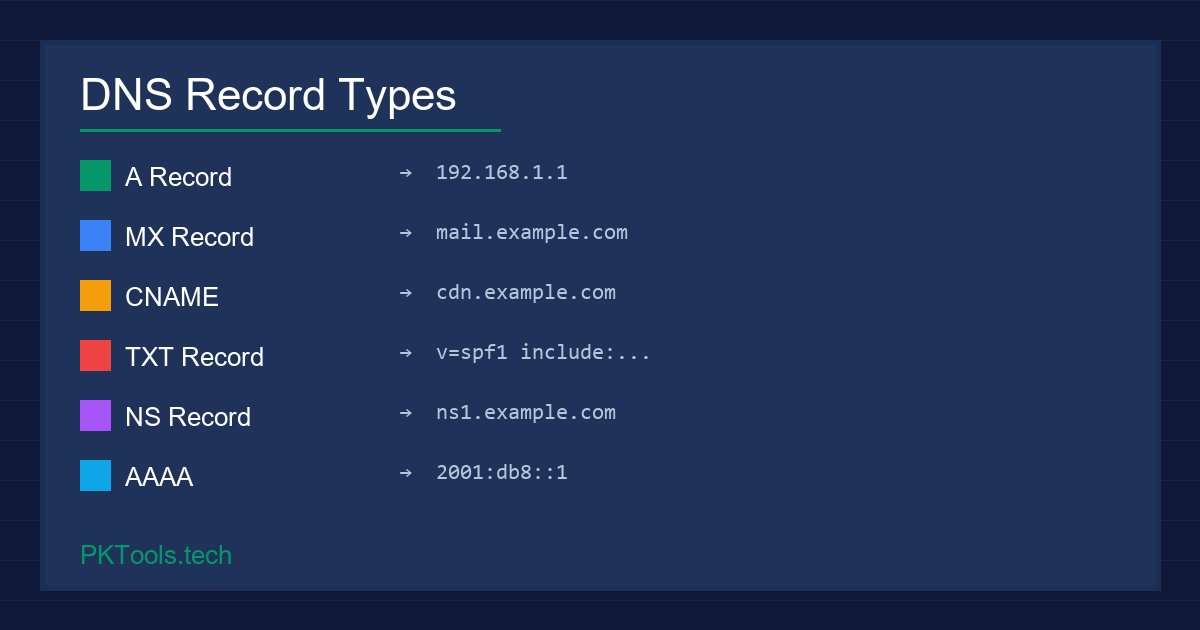
But DNS is far more than just name-to-IP mapping. It is a distributed, hierarchical database that stores multiple types of records, each serving a distinct purpose:
- A Record: Maps a domain to an IPv4 address. The most fundamental record type.
- AAAA Record: Maps a domain to an IPv6 address for modern internet infrastructure.
- MX Record: Directs email to the correct mail server. If this is wrong, your emails vanish into the void.
- CNAME Record: Creates an alias from one domain name to another. Essential for subdomains and CDN setups.
- TXT Record: Stores arbitrary text data, commonly used for SPF, DKIM, and domain verification.
- NS Record: Specifies which name servers are authoritative for a domain.
- SOA Record: Contains administrative information about the zone, including the primary nameserver and refresh intervals.
When any one of these records is misconfigured, the consequences range from annoying (slow page loads) to catastrophic (all company email bouncing for days). This is precisely why having instant access to a DNS Lookup tool is non-negotiable.
The Real Cost of DNS Misconfiguration - Domain Lookup
Let us talk numbers. According to industry research, DNS-related outages cost businesses an average of $100,000 per hour in lost revenue. And these are not rare events � a surprising number of incidents trace back to simple DNS misconfigurations that could have been caught in seconds with a proper lookup tool.
Here are real-world scenarios where DNS errors silently destroy productivity:
1. The Email Black Hole
You migrate your email provider from one service to another. You update the MX records, but you forget to remove the old ones, or you set the priority values incorrectly. The result? Some emails go to the new provider, some go to the old one, and some simply disappear. Your clients think you are ignoring them. Your sales team loses leads. A quick MX record lookup on pktools.tech would have revealed the conflict in seconds.
2. The SSL Certificate Nightmare
You are setting up HTTPS for a new subdomain. The certificate authority needs to verify domain ownership via a TXT record or a CNAME record. You add the record, but it is not propagating because your TTL (Time to Live) is set to 86400 seconds (24 hours). You are stuck waiting an entire day because you did not check the current TTL value first. A DNS lookup would have shown you the TTL instantly, letting you plan accordingly.
3. The CDN Routing Failure
Your website uses a CDN like Cloudflare or AWS CloudFront. The setup requires a CNAME record pointing your domain to the CDN's edge servers. A typo in the CNAME value � or worse, a conflicting A record � means your traffic bypasses the CDN entirely, hitting your origin server directly. Your site slows to a crawl under load, and you have no idea why until you check the DNS records.
Why pktools.tech is the Developer's Go-To DNS Tool - Dns Record
There are plenty of DNS lookup tools online. So why are experienced developers and sysadmins bookmarking pktools.tech? Because it solves the three biggest pain points that other tools ignore.
Speed Without Compromise
When your site is down and the clock is ticking, you do not want to wait for a bloated website to load ads before you can type a domain name. The DNS Lookup tool on pktools.tech loads instantly, accepts your query immediately, and returns comprehensive results in milliseconds. No pop-ups, no newsletter sign-up walls, no cookie consent banners covering the input field.
Comprehensive Record Support
Many free DNS tools only show you A records and maybe MX records. The pktools.tech DNS Lookup supports all major record types � A, AAAA, MX, CNAME, TXT, NS, SOA, and more. This means you can diagnose email issues, verify SSL domain validation records, check nameserver delegation, and audit SPF/DKIM configurations all from one tool.
Clean, Developer-Friendly Interface
The results are presented in a clean, readable format that developers actually want to use. No cryptic output that requires a networking PhD to interpret. Each record type is clearly labeled, values are properly formatted, and TTL values are displayed so you always know how long until changes propagate.
Pro Tips for DNS Debugging
- Always check NS records first to confirm the right nameservers are authoritative
- Verify MX record priority values � lower numbers mean higher priority
- Check TXT records for SPF syntax errors if emails are landing in spam
- Monitor TTL values before making DNS changes to plan propagation time
- Use CNAME lookups to verify CDN and subdomain configurations
Advanced DNS Strategies Every Developer Should Know
Beyond basic troubleshooting, understanding DNS at a deeper level unlocks powerful capabilities for your infrastructure.
1. TTL Management for Zero-Downtime Migrations
Before migrating servers or changing hosting providers, lower your DNS TTL to 300 seconds (5 minutes) at least 24-48 hours in advance. This ensures that when you flip the DNS records to point to your new server, the change propagates globally within minutes instead of hours. After the migration is stable, bump the TTL back up to reduce DNS query load. Use pktools.tech to verify the TTL change took effect before proceeding.
2. SPF, DKIM, and DMARC: The Email Authentication Trinity
If your domain sends email � whether transactional, marketing, or plain old correspondence � you need to have SPF, DKIM, and DMARC records properly configured. These TXT records tell receiving mail servers that your emails are legitimate and not spoofed. A single syntax error in your SPF record (like exceeding the 10-lookup limit) can cause all your emails to fail authentication. Regularly querying your TXT records with a DNS Lookup tool is the easiest way to audit this.
3. Subdomain Enumeration for Security Audits
Security professionals use DNS lookups as a fundamental part of reconnaissance. By querying NS records, checking for wildcard DNS entries, and examining CNAME chains, you can map out an organization's attack surface. If you are responsible for your company's security posture, periodic DNS audits using tools like the one on pktools.tech should be part of your routine.
How to Use the PKTools DNS Lookup Tool
Getting started is straightforward:
- Navigate to the tool: Open the DNS Lookup tool at pktools.tech from any modern browser.
- Enter your domain: Type the domain name you want to query (e.g.,
example.com) � no need to includehttp://orwww. - Select the record type: Choose from A, AAAA, MX, CNAME, TXT, NS, SOA, or query all record types at once.
- Review the results: The tool displays each record with its value, TTL, and type in a clean, structured format.
- Take action: Use the results to verify configurations, diagnose issues, or document your DNS setup.
Frequently Asked Questions
Is the DNS Lookup tool free?
Yes, completely free with no usage limits. No account registration required.
Does the tool store my queries?
No. The tool is designed with privacy in mind. Your domain queries are not logged, stored, or shared with third parties.
Can I use this for commercial projects?
Absolutely. There are no restrictions on how you use the results � whether for personal projects, client work, or enterprise infrastructure management.
Why might results differ from my registrar's panel?
DNS propagation takes time. If you recently made changes, it may take anywhere from a few minutes to 48 hours for all global DNS servers to reflect the update. The tool queries live DNS servers, so it shows you what the internet currently sees � which is exactly what you want for debugging.
Ready to Debug DNS Like a Pro?
Get instant, accurate DNS record lookups with the features developers actually need:
- Query all DNS record types (A, AAAA, MX, CNAME, TXT, NS, SOA)
- Lightning-fast results with zero bloat
- No data collection - your queries stay private
- Works on any modern browser, any device
- 100% free, no sign-up required
The Verdict
DNS is the invisible infrastructure that makes the entire internet work. When it is configured correctly, nobody notices. When it breaks, everything stops. As a developer or IT professional, having a fast, reliable, and comprehensive DNS Lookup tool is not a luxury � it is a necessity.
Stop flying blind with your domain configurations. Whether you are debugging email delivery, verifying SSL setups, planning server migrations, or auditing security, the DNS Lookup tool at pktools.tech gives you the visibility you need in seconds. Bookmark it, use it, and never wonder about your DNS records again.