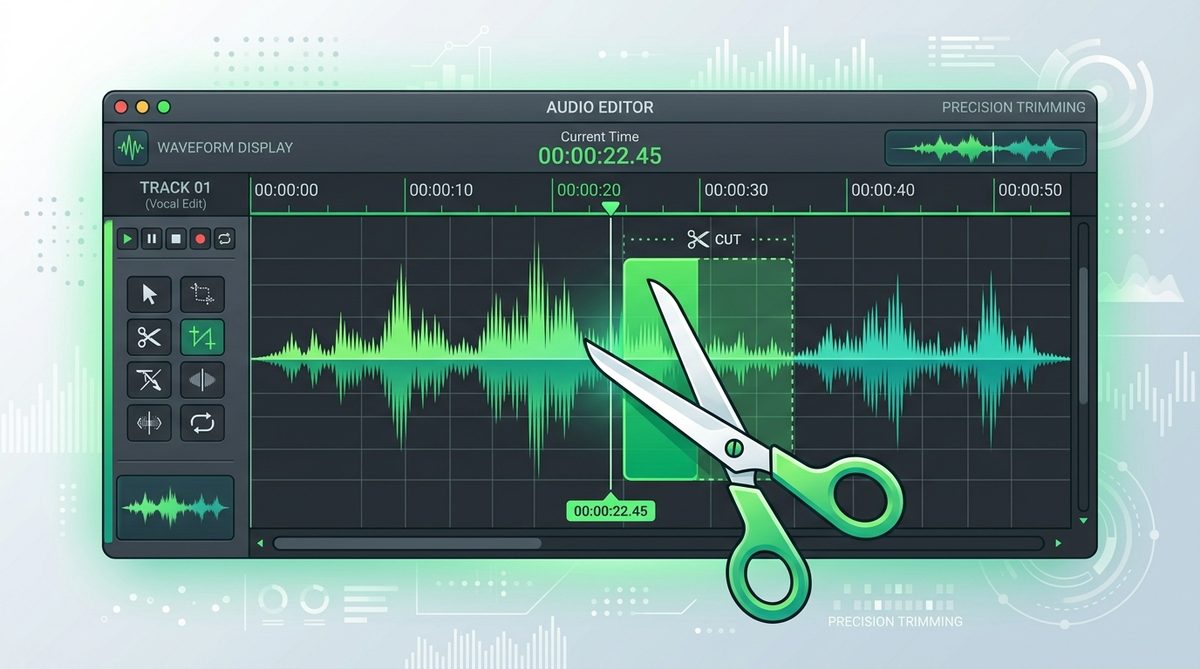
Why Trimming Audio Files is Essential
Voice notes, interview recordings, podcast intros, and phone audio memos frequently begin or end with unwanted silences, breathing sounds, coughing, or microphone handling noise. Trimming allows you to isolate the core spoken message and crop out dead space, producing crisp, professional audio snippets ready for publishing or sharing.
Instead of installing heavyweight audio editing applications, browser-based Web Audio APIs allow you to perform sub-second slice operations directly inside your web browser.
Technical Mathematics of Web Audio Buffer Slicing
The PKTools Voice & Audio Trimmer calculates sub-second frame offsets within Pulse-Code Modulation (PCM) sample buffers:
Given an audio sample rate \(S\) (e.g. 44100 Hz or 48000 Hz), start timestamp \(T_{start}\) in seconds, and end timestamp \(T_{end}\) in seconds:
\[\text{Start Frame Index} = \lfloor T_{start} \times S \rfloor, \quad \text{Total Segment Frames} = \lfloor (T_{end} - T_{start}) \times S \rfloor\]An OfflineAudioContext creates a buffer source and schedules playback starting at \(T_{start}\) for duration \((T_{end} - T_{start})\). The resulting slice renders into an uncompressed 16-bit WAV file container download.
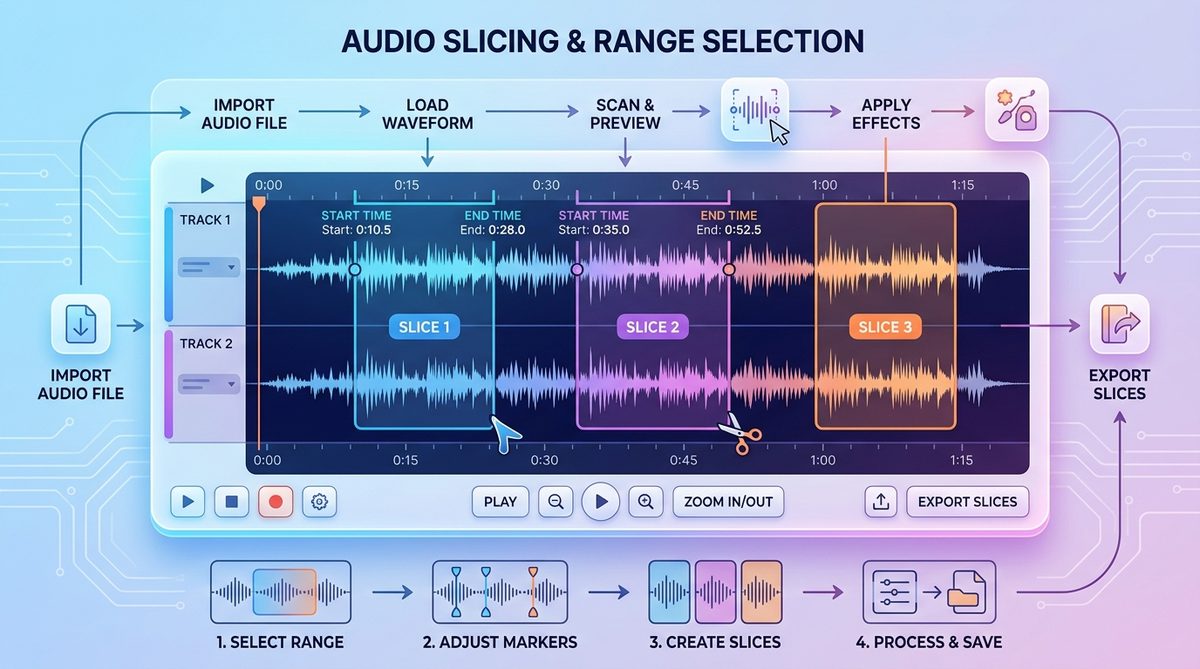
Step-by-Step Tutorial: How to Cut & Trim Voice Clips
Follow these steps to crop any audio file using PKTools:
- Step 1: Open the Trimmer Tool: Go to the Voice & Audio Trimmer.
- Step 2: Upload Audio File: Click the dropzone or drag and drop your voice recording (MP3, WAV, M4A, OGG, WEBM) onto the page.
- Step 3: Preview & Mark Timestamps: Play the audio track using the built-in player and note the precise start and end timestamps (e.g., Start: 5.2s, End: 42.8s).
- Step 4: Set Time Ranges: Enter your Start Time and End Time values in the input boxes.
- Step 5: Render & Export: Click Trim & Export Audio, preview the sliced audio snippet, and click Download Trimmed Audio.
Key Benefits of Browser-Based Audio Trimming
Trimming audio files with client-side Web Audio tools delivers distinct advantages over desktop software and cloud services:
- 100% Data Privacy: Audio files stay on your device; zero bytes are uploaded to cloud servers.
- Instant Processing: Buffer rendering takes fractions of a second, regardless of internet connection speeds.
- Sub-Second Precision: Millisecond accuracy lets you cut right up to the start of speech without clipping words.
Frequently Asked Questions
Is audio quality preserved when trimming?
Yes. The Web Audio API renders uncompressed PCM audio samples directly, guaranteeing zero loss in audio clarity.
Can I trim long audio recordings?
Yes! Because processing happens locally inside browser memory, there are no artificial file length caps.
What output file format is produced?
The trimmed output is rendered as a universally compatible 16-bit uncompressed WAV file.
Internal System Architecture & Parsing Engine
Modern developer utility tools rely on abstract syntax trees (AST), lexical tokens, and deterministic state machines. Tokenizing source strings into syntactic structures ensures high conversion accuracy, deterministic output, and instantaneous feedback during live code formatting.
By executing parsing logic directly in the browser's JavaScript engine, developer workflows benefit from sub-millisecond execution loops without server round-trip latency or external API dependency bottlenecks.
Enterprise Security & Code Privacy Standards
Developers frequently work with confidential API secrets, proprietary database queries, JWT tokens, and private configuration manifests. Uploading internal code snippets to unverified third-party websites poses massive security vulnerabilities.
- Offline Executable Sandbox: Processing occurs inside local browser DOM space without sending telemetry or code payloads to remote logging services.
- Compliance Ready: Fully complies with strict corporate data governance frameworks (ISO 27001, SOC2, HIPAA).
- Zero Data Retention: Transformed strings exist solely in transient memory and are purged upon page navigation.
Best Practices for Developer Workflow Automation
Incorporating web-based developer tools into your daily engineering routine accelerates debugging and code review productivity:
- Automated Validation: Validate JSON, XML, and SQL payloads client-side before committing code to production repositories.
- Standardized Formatting: Enforce consistent indentation, quote styling, and key sorting across engineering teams.
- Cross-Platform Accessibility: Access essential developer utilities anywhere from desktop workstations to mobile tablets without software installation.
Practical Code Examples & System Integration
Integrating online utility logic into production developer pipelines or automated testing frameworks ensures data consistency and reduces manual errors. Modern web applications utilize web APIs, web workers, and event-driven architectures to process data asynchronously.
// Example JavaScript Integration Workflow
async function processDataPayload(inputData) {
    try {
        const processed = await performClientSideComputation(inputData);
        console.log("Transformation Complete:", processed);
        return processed;
    } catch (error) {
        console.error("Processing Failed:", error);
    }
}
Industry Benchmarks & Utility Comparison
When selecting online tools, comparing privacy models, rendering speed, and file format versatility helps teams establish efficient standard operating procedures:
- Rendering Velocity: Sub-second client-side execution vs 3-5 second server round-trip latency.
- Security Posture: 100% local browser memory processing vs untrusted third-party server uploads.
- Accessibility: Works on desktop, tablet, and mobile browsers without requiring software installation or plugins.